Contextual chat
Ask in plain language. Maple pulls from your projects, last meeting, and what's on screen—no prompt engineering.
Maple is a private AI assistant that runs locally on your machine. It understands your screen and meetings, connects your context across your tools, and gives you instant answers grounded in your actual work—so you never have to copy-paste context into ChatGPT again.
No credit card required · Private by default · Runs locally on Mac & Windows
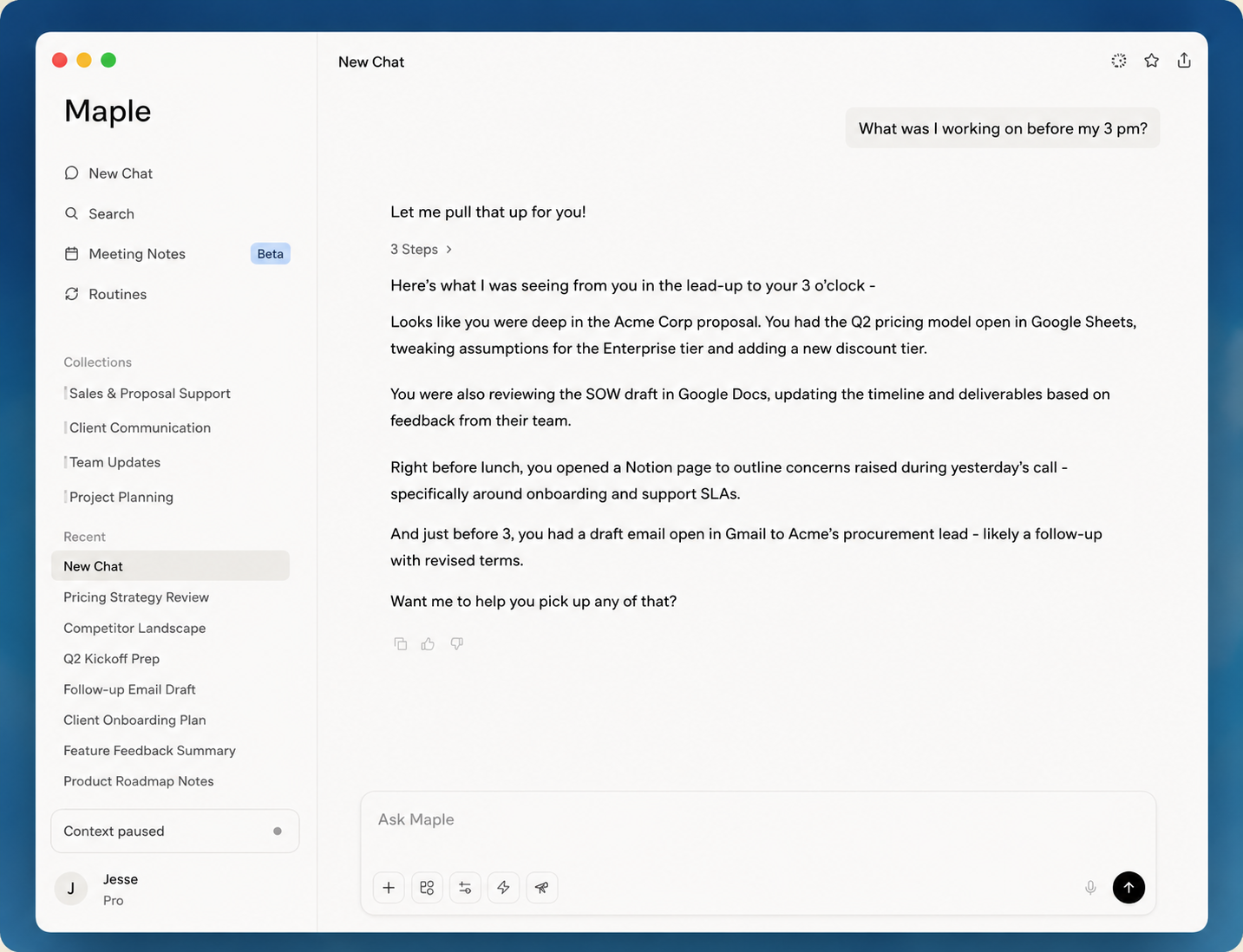
Every other AI assistant makes you copy meeting notes, summarize tabs, and re-explain projects. Maple's private AI assistant indexes what you're actually working on locally—delivering screen-aware answers grounded in your actual work.
An AI productivity assistant built to connect your screen, meetings, and project files—without another tab open.
Ask in plain language. Maple pulls from your projects, last meeting, and what's on screen—no prompt engineering.
Real-time transcription, summaries, and follow-ups. Decisions stay searchable forever.
Pre-meeting briefs, end-of-day recaps, and nudges—on your schedule, not as pop-up spam.
Maple watches the tools you already use — no plugins, no setup, no extra tabs.

Live meeting capture

Real-time transcription

Channel & DM context

Docs & wikis

PRs & issues

Design context

Issue tracking

Email threads
No copy-paste. No manual context. As a screen-aware AI assistant, Maple reads your active screen, understands open tabs and documents, and connects your workspace to your meeting history.
Understands what app you're in and what document you're editing.
Combines screen, meetings, and files into a unified knowledge graph.
Screen data never leaves your machine. Indexed on-device, queried privately.
Maple builds a persistent memory graph over time — linking your meetings, decisions, and files so your AI assistant remembers your work context forever.
Live transcription with speaker attribution and key moments tagged.
Action items, owners, and deadlines automatically identified.
Decisions connected to the right projects, docs, and team members.
Smart reminders surface when commitments are approaching or overdue.
A lightweight menu-bar app for Mac and Windows.
Maple indexes locally—screen, notes, and calls stay on your device.
Ask anything. Maple already has the context.
Your workspace is indexed on-device. Only the minimum context needed for a query leaves your machine—encrypted in transit.
We never train models on your content. Enterprise APIs from our AI partners include the same guarantee.
No notification spam. Maple stays in the menu bar until you summon it.
Start free and upgrade when your work begins living inside Maple.
ChatGPT knows the public internet. Maple knows your meetings, projects, and what's on your screen—so you never paste context again.
Indexing happens locally. When you ask a question, only the relevant snippets needed to answer are sent—encrypted—and never used for model training.
Native desktop apps for macOS (Apple Silicon & Intel) and Windows. Mobile companion apps are on the roadmap.
Yes. Pro includes a 14-day free trial—full meeting transcription and unlimited projects, no credit card required to start on Starter.
Maple integrates seamlessly into your desktop workspace, keeping context at your fingertips.
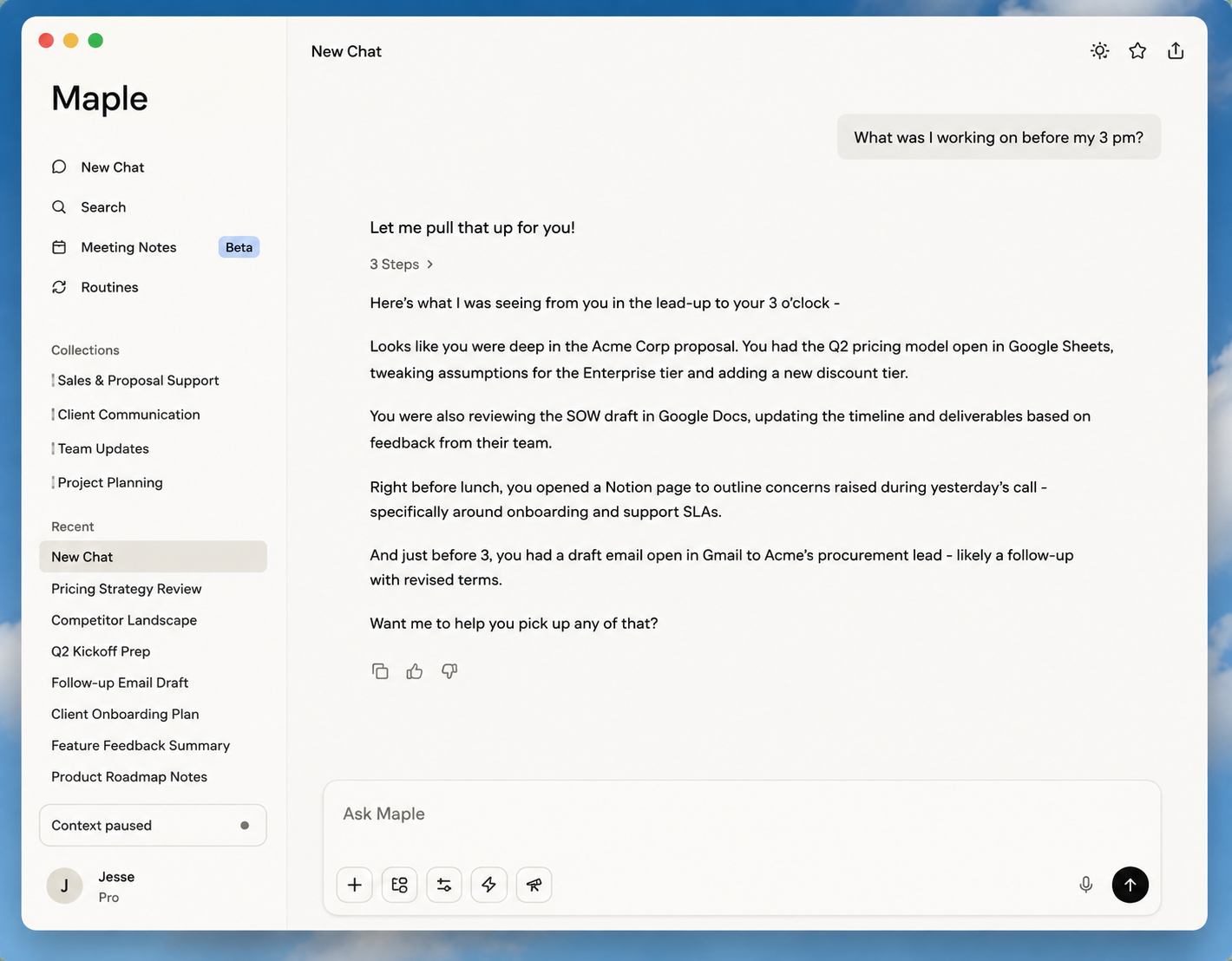
Press ⌥ Space to summon Maple instantly. Ask questions about your screen, documents, or meetings without leaving your active app.
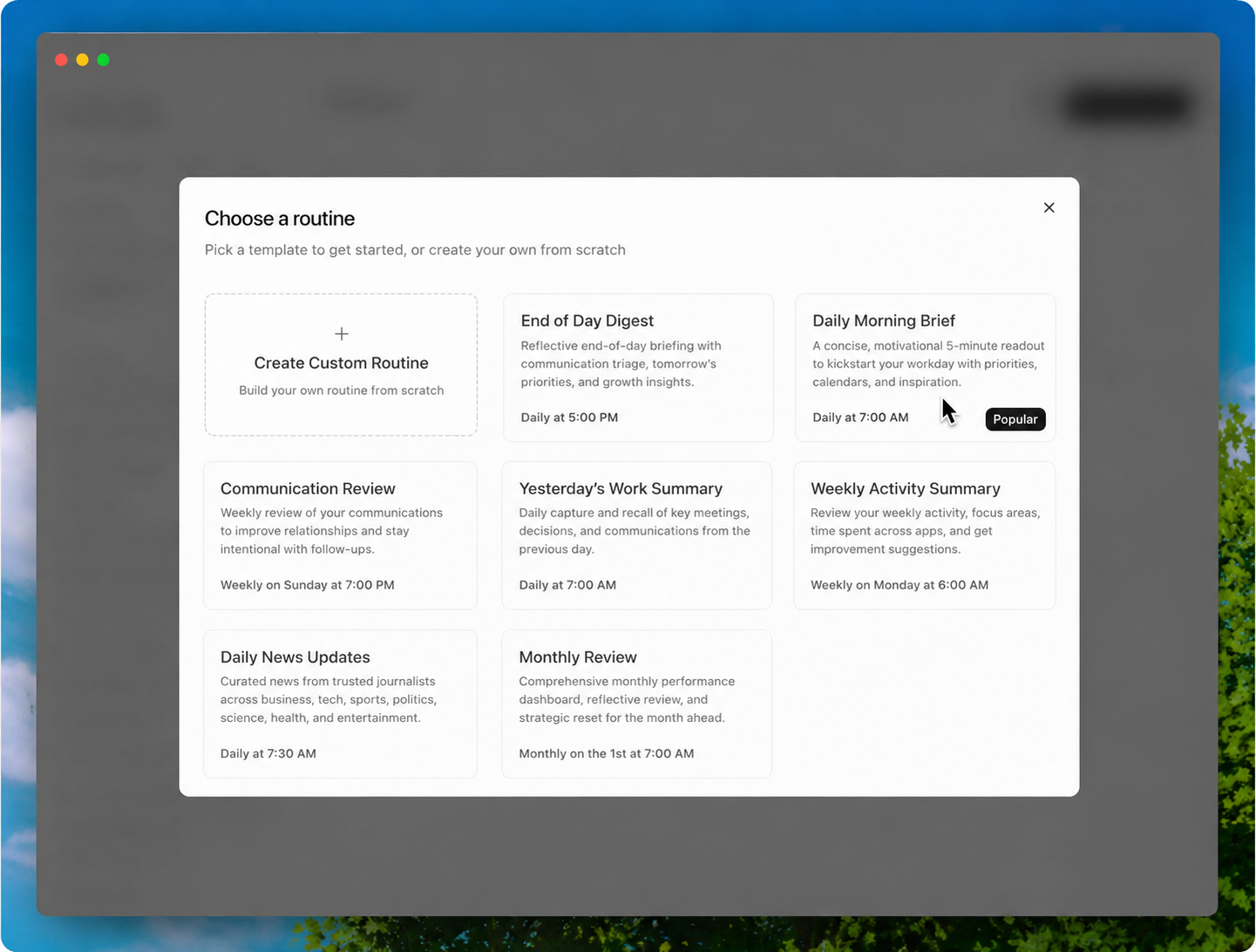
Configure what directories, apps, and meeting accounts Maple indexes. Your work stays securely stored on-device.
Join the waitlist. We're onboarding teams in weekly batches.
Join waitlist